








































What’s new in Sapaad: January round up
 Sapaad Content Team
We’re rounding up January with an array of new features and enhancements to improve your Sapaad experience and your customers’ with your business.
In case you missed it, here are a few highlights from our January updates.

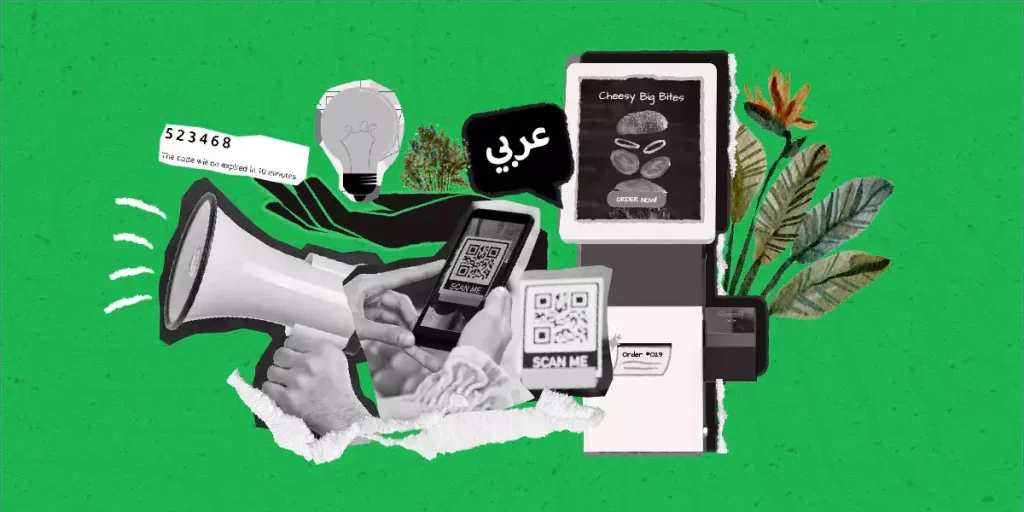
Sapaad Kiosk, now in Arabic
We’ve introduced Arabic as the latest language option for Sapaad Kiosk iOS. This new language feature furthers our goal of empowering customers and their workforce to run Sapaad in the language of their choice.
Other important enhancements include:
✔ Migration of our Inventory Microservice and Sapaad Direct Dine-in orders to Kafka, which streamlines operations and optimizes stability.
✔ An upgrade to Apple Xcode 13—the latest upgrade for optimized back-end performance for iOS applications. We also addressed some UI issues and backlog bugs.
✔ A new print queue feature which ensures that the system records and queues orders even when experiencing network connectivity issues.
✔ We also resolved the following bugs: update issues with an order’s total price in modifier popup; previous order items that stay stuck in cart and are still displayed in the ‘Place Order’ screen; a delay in printing ‘Pay at Counter’ receipts using Epson printers; and pop-ups that open (sometimes, but rarely) twice.
Sapaad welcomes payment partners Omise and Adyen
Sapaad.Online has partnered with Omise and Adyen, increasing the number of flexible payment options for you and your customers.
Adyen is available globally, while Omise is currently open to Singapore users. They join a growing list of Sapaad payment partners offering the benefit of convenient and secure digital payments.
Deliverect is now an integrated partner!
We’ve partnered with Deliverect to provide a reliable two-way integration for customers to manage all their online orders from Sapaad POS with incredible ease.
With Deliverect Connect, customers experience seamless order management from online food delivery platforms – Zomato, Talabat, Deliveroo, HungerStation, Careem, Jahez, Noon Food, Carriage, and more!
Enhanced Offline Mode
Sapaad iOS has been optimized to add orders in offline mode and sync immediately once the application goes online.
Sapaad’s Walk-in module now also uses Google’s Service Workers—a scripting technology that stores content for offline use—enabling you to provide a consistent ordering experience for your staff and customers, even offline.
Improved Label printer support
Sapaad Label Printing now comes with an added iOS and Android support for the Brother QL-820NWB Lined Label Printer as well as an iOS support Fujitsu FP-2000CL Linerless Label Printer.
Label printing helps eliminate human error in dispatch and delivery orders by printing customer order specifications directly onto clear and concise labels—easing order preparation and ensuring that the customers get exactly what they ordered.
With Sapaad Label Printing, you can make full use of Sapaad’s Cloud Print Agent and simultaneously print labels, invoices, and kitchen order slips through Sapaad’s iOS and Android applications.
New Delivery Zone Mapping features
We have improved Sapaad.Online’s Google Maps integration for Delivery Zone mapping in Malaysia, the UK, and the KSA, introducing the ability for you to search addresses by area name and postal code. This comes with an added visibility of other delivery zones while mapping new locations, making it easier for you to draw out precise boundaries and optimize your delivery operations.
Full compliance with ZATCA e-Invoicing in Saudi Arabia
In compliance with Zakat, Tax and Customs Authority (ZATCA) of Saudi Arabia, invoices generated by Sapaad have been updated to include labels in Arabic, invoice information, and a QR code which, when scanned, helps ZATCA keep track of all the necessary details about businesses in the KSA.
Performance enhancements & fixes
- Sapaad Direct has added a new menu decompression feature that reduce menu file sizes, allowing it to load and sync faster after any update.
- Unprocessed orders added within Sapaad Direct will be deleted from the shopping cart after four hours. This enhancement ensures all orders are up to date and prevents confusion on product availability and pricing updates.
- To continuously improve Sapaad’s Inventory Manager, Kafka will be handling Deliveroo order consumptions for a reduced overall system complexity, increased platform scalability, and enhanced performance. Furthermore, our Inventory Microservice and Sapaad Direct Dine-in orders have been migrated to Kafka to further streamline operations and optimize stability.
- New online store timing options for multi-branch users. This allows users to set up individual store timing per branch in 24 or 12-hour formats for better optimization of each of their outlet’s active hours.
- We’ve implemented a universal menu in Sapaad to automatically refresh menu details, eliminating the need for manual menu refresh. This enhancement cuts memory storage in half and reduces user tasks, further optimizing performance and stability.
- We’ve optimized Delivery Manager Microservice (DMMS) to remove accumulated, unwanted data while pushing an order.
- Additionally, DMMS has been further optimized by removing Callbacks for Deliveroo orders. This enhancement assures a more streamlined and stable operations flow.
- We’ve updated Error Logs for aggregator Callbacks for improved accuracy and reliability in active record keeping.
- The Delivery Manager now features a “New Orders” tab for filtering new Sapaad.Online orders.
- Printer-specific alerts have been implemented so that customers with multiple printers can easily trace which printer is causing the error.
- The Kitchen Display System now uses the Apache Kafka platform to improve overall performance.
- Sapaad users are no longer required to log in before being redirected to the OTP payment page after authentication. We’ve also addressed a rare bug where more than one payment was allowed on a single OTP authentication.
- We’ve incorporated a new feature in which Sapaad.Online SMS order update sends messages only to online ordering customers with their own SMS accounts.
- We’ve added Category Change as a new criterion to the User Critical Activities log; this addition will allow Sapaad Support Center to better monitor user activities, further improving support services.
- We’ve implemented an alert system to notify users once their CRM accounts begin to reach 10,000 contacts.
- Business Name and TRN of specific locations will be hardcoded in the QR details. Additionally, QR Code has also been implemented for Split Bills in compliance with the ZATCA requirements.
- OAuth has been implemented for 7Shifts. Customers will now be redirected to the 7Shifts page for account sign-in.
- We’ve released a feature to screen new trial users’ email IDs by disallowing characters such as ‘+’, ‘.’, and ‘@’ in their email addresses. This feature helps ensure that only valid email IDs are entered into the system.
- A bug involving Sapaad Android app crashes caused by changes in notes and menu quantity has been fixed.
- We have addressed a minor bug which caused the screen to scroll up instead of down whenever Android POS users added a certain number of modifiers in the order.
- We’ve resolved a situation where multiple logs were being created for a single delivery alert.
- A bug which prevented the “Order Ready” status from appearing for Talabat and Uber Eats orders has been fixed.
- We’ve fixed a bug involving Scheduled Orders disappearing if pick-up is scheduled beyond 48 hours. Sapaad’s Delivery Manager has been updated so that orders move from Scheduled to Active only when the order is expected to be delivered.
- A bug involving inaccurate transfer of Scheduled Orders to the KDS has been fixed.
- A specific issue in Delivery Manager where staff details from multiple branches were visible to a single-location User/Manager account has been resolved.
- In Sapaad Kiosk for iOS, items added to cart by clicking on an Ad banner were causing UI glitches. Similarly, when more than four payment options are active, buttons overlap each other. These have been fixed.
- A specific bug for Talabat in which a discount is applied twice when a customer claims two different discounts, resulting in a negative total amount. This has been fixed.
- A bug involving Deliverect-Careem customers being able to place orders without a name or contact number resulted in failed orders. As a fix, default contact details will be provided. A related issue with missing source codes has also been resolved.
- We’ve identified and fixed discrepancies in total amount due on Deliverect orders when applying discounts with decimal values. Discounts with will now be calculated correctly.
- We’ve added the ability for users to discard an ingredient even if the source location is already deleted.
- We’ve addressed an issue with the Printing Rule option “Simple text invoice” which caused an invoicing error. This Printing Rule option has now been removed.
- We’ve encountered and fixed a bug in the Android app that displayed a modifier name different from the modifier created in the POS menu setup.
- A bug in CRM that caused a modified takeaway order to open into a new order tab has been fixed.
- We’ve fixed a bug involving users being unable to enter decimals in the Quantity field of the Personal Digital Assistant (PDA).
- A bug which kept Deliverect locations from appearing in the POS has been addressed.
- A bug where paid takeaway orders are shown as unpaid in the Business Summary has been fixed.
- We’ve added the ability to enter decimal values in Minimum Order Values for Delivery Areas. Users can now set up Minimum Orders with precision values under Delivery Area settings.
- We’ve fixed a bug in the Dashboard’s Total Surcharges report where surcharge details are incomplete despite accurate totals.
- We’ve corrected an issue where added modifiers are deducted twice in the inventory for orders updated from the PDA.
- We’ve resolved a specific issue where a recipe’s food cost and gross profit did not show in their columns on the Recipe page when the food item’s selling price was in the four-digit range.
- Bugs involving outdated item prices and other errors related to reorders from the Order History have been fixed.
- For Sapaad Direct, when the ‘Pay at Counter’ payment option is active, the Place Order button will be removed from the Checkout screen. Similarly, the button will be disabled for orders with empty carts.
- A minor bug causing order failures in Sapaad Direct has been fixed.
- Sapaad Direct has been unbundled from the CRM Base Plan, giving users the option to purchase the CRM Unlimited Plan when needed.
- In a rare scenario where a customer refreshes the cart page and clicks on Place Order, we’ve updated the system to display an ‘Unable to Place Order’ message.
- We’ve included an alert message when a customer tries to check out an empty cart. Message alerts for failed orders have also been updated.
- We’ve disabled special character input in the Name field for Sapaad.Online.
- We’ve fixed a bug involving amount breakdowns on Sapaad Direct invoice printouts.
Sapaad Content Team
Author

Related Blog Posts













Get the latest news and updates
Submit your email address to join our email list.